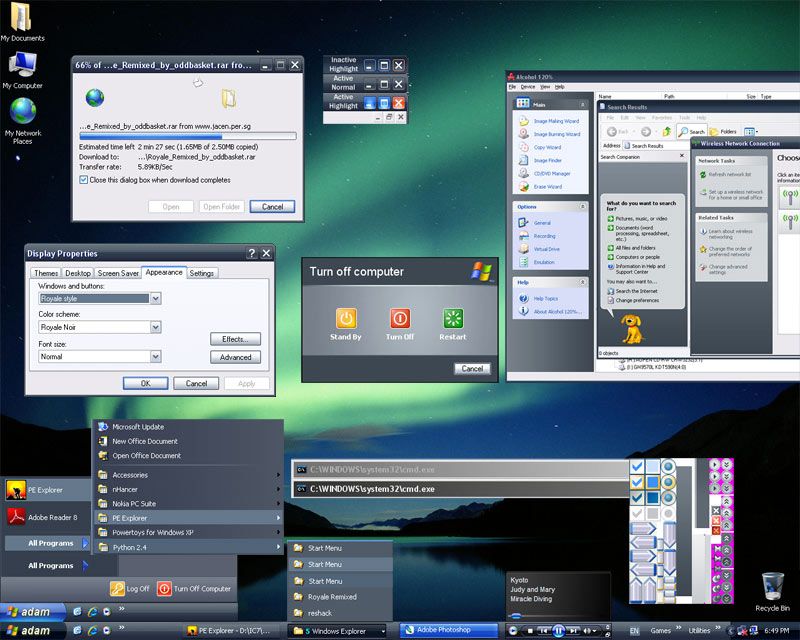
Do you wish to change your theme from the boring XP theme to some funky, neat, beautiful or more kind of theme. Well, now you can change your theme or anything you want. If you want to download some of the theme, i think the best website for it is
Customize.org. You can search almost everything there. For me, my favourite theme is probably Royale Noir. If you wish to download my favourite theme
CLICK HERE. If you are struggle to use your theme. Just follow my instruction:
Once download finish:
- You need .rar program e.g. 7-zip or winrar(the best two)
- Open it using the .rar program
- Extract it to(C:\WINDOWS\Resources\Theme)
- Go to the extracted file
- Double the file with the paint brush on it
- A pop-up will appear
- Choose your setting
- Click Apply
- Click OK
Once you finish this, you will see that your system have change. If you want to change your computer back to normal just left-click on your desktop background and select properties.
When you're there, select Appearance tab then change your setting and click apply then ok. Then you finish.

Note.
Some of the theme you don't have to put in the folder because some of them have setup to put the file in the right folder.

No comments:
Post a Comment